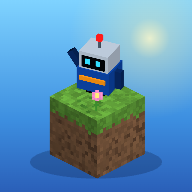
MiniCrafter
Explore ยท Build ยท Code
Generating worldโฆ
๐ Play online with friends (beta: Play Together, accounts)World
โ
๐ฒ Put MiniCrafter on your Home Screen
Then open it from the icon: it fills the whole screen, works offline, and keeps your worlds safe.
๐ก Today's building idea
Game mode
โ๏ธ Settings
๐ฎ Controls
| W A S D | Move |
| Mouse | Look around |
| Space | Jump / swim up / fly up |
| Shift | Sprint (fly down while flying) |
| F | Toggle flying (creative) |
| Left click (hold) | Break block |
| Right click (hold) | Place block |
| Middle click | Pick block into hotbar |
| 1โ9 / Mouse wheel | Select hotbar slot |
| E | Inventory & crafting |
| Right click (food) | Eat an apple (survival) |
| Right click (lever) | Flip a Spark Lever or press a Button |
| Hold right click | Draw the bow / raise the shield (โ๏ธ Adventure) |
| Q | Quest book |
| Z / Y | Undo / redo (creative) |
| F3 | Debug info |
| T then 1โ8 | Send an emoji (Play Together) |
| P | ๐ท Photo Mode |
| R | Back to the last checkpoint (Course Maker) |
| L / N | Let a friend in / not now (host) |
| Esc | Pause |
Touch: left stick walks, drag to look, tap to place or flip, hold to mine or attack. Holding a bow or shield? Hold to draw or block.
Your world is saved automatically in this browser.